
Book Publishing Platform
Stop laying out books by hand. Start composing them automatically.
Define a publisher’s typesetting rules once, then compose finished, print-ready pages straight from your InDesign templates and content — fitted to an exact page count, on brand and consistent across every title.
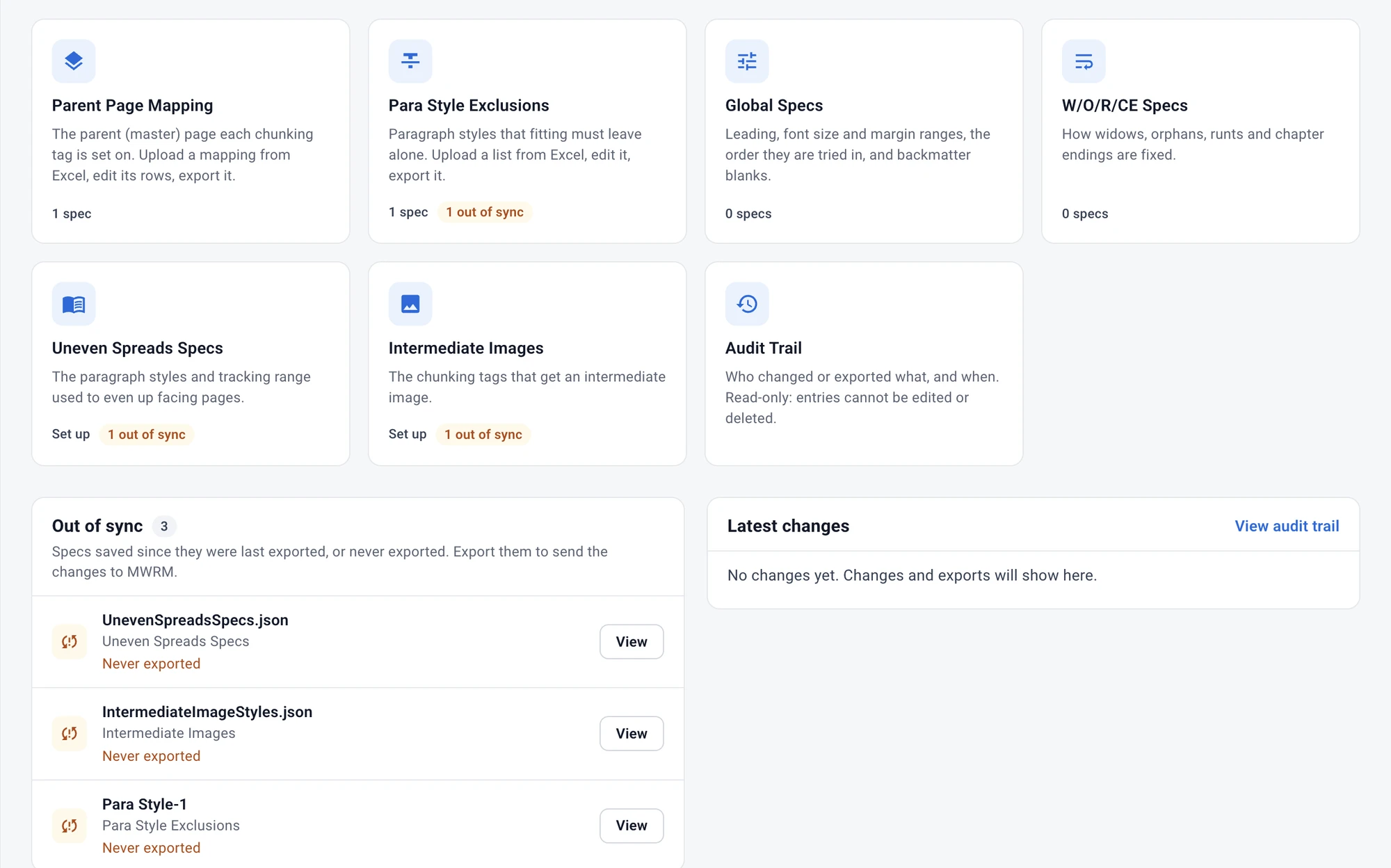
Why the Book Publishing Platform
Manual, page-by-page layout leads to overspending, missed deadlines and inconsistent results across a list. The Book Publishing Platform combines a rules-based Book Spec with Adobe InDesign Server automation, so your team defines the standard once and every title that follows meets it automatically.
Rules defined once, applied everywhere
Set your house rules once in the Book Spec and reuse them across every title, series or imprint.
Fit text to an exact page count
Lock a target extent so every title lands on a fixed number of pages, for predictable signatures and tighter print runs.
Automatic widow, orphan and runt fixing
Decide how they are caught and corrected, and apply the rules consistently without checking every spread by hand.
Powered by Adobe InDesign Server
The same professional engine as desktop InDesign, running headless — output quality never drops for the sake of automation. It is the same InDesign Server rendering as the Mediawide Hub’s print output, monitored by Mediawide Renderer Manager.
Time-saving automation
What used to take page-by-page intervention now runs as an automated job — without adding headcount.
Book Spec
Your house rules, set once
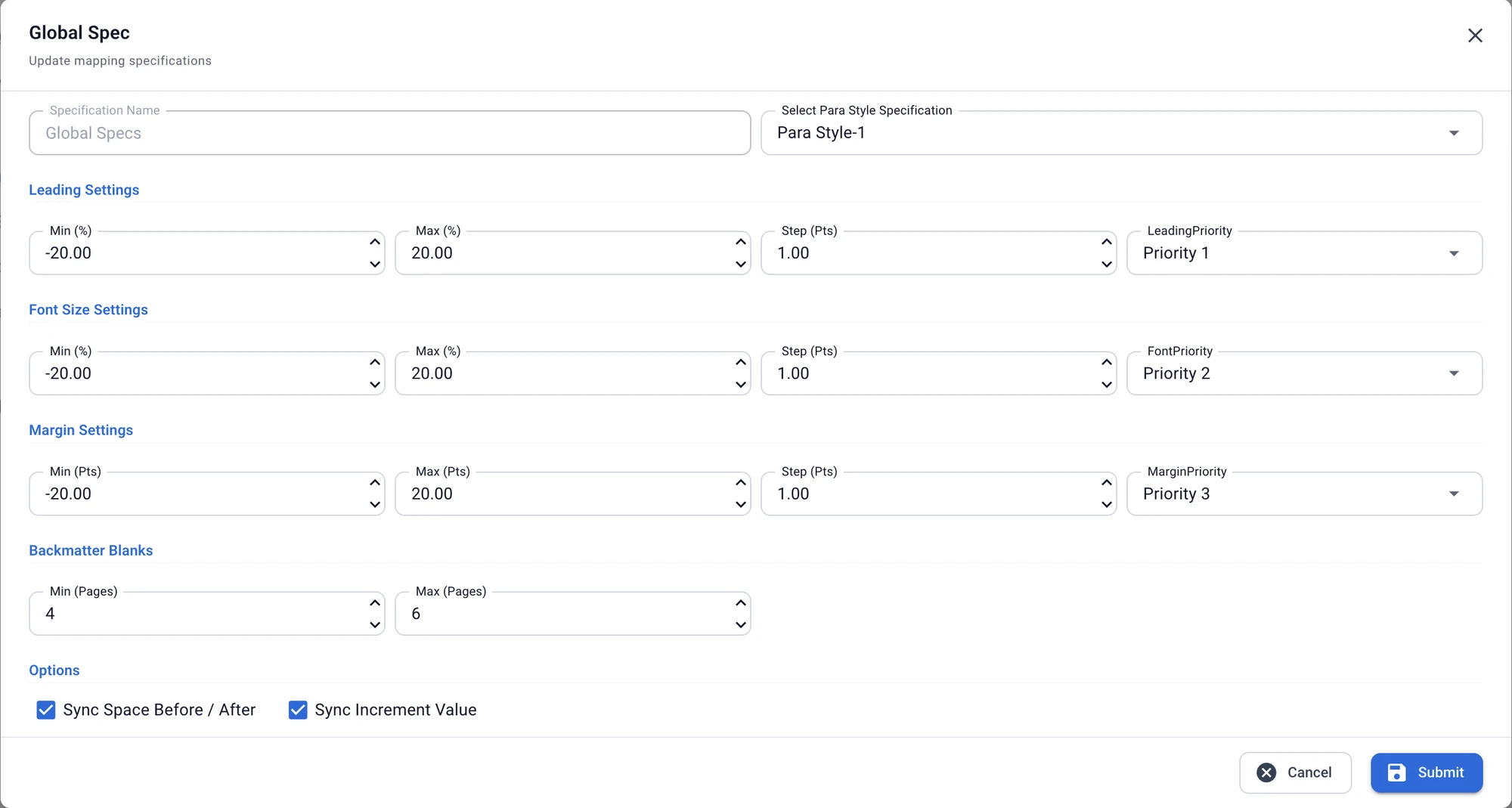
Set the leading, font size and margin ranges that fitting may use, the step for each, and the order they are tried in. Add how many blank backmatter pages a title may end on, and every title that uses the spec follows the same rules.
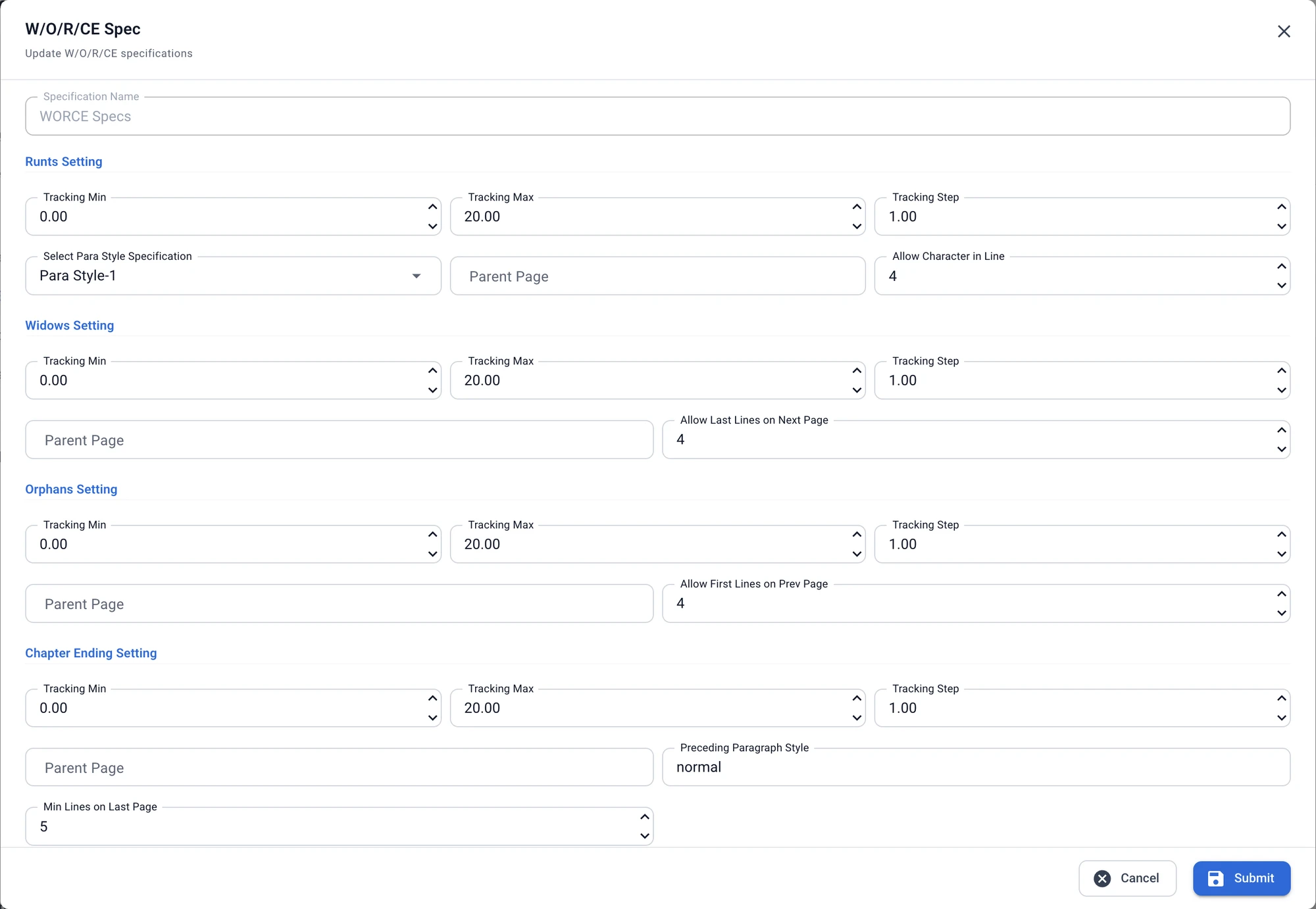
Widows, orphans, runts and chapter endings
For each one, set the tracking range and step the fitting may use, and how many lines may move to the next or previous page. Chapter endings get a minimum number of lines on the last page.
How it works
Define your spec
Set widow, orphan and runt rules, map each paragraph style to its master page, list paragraphs to exclude, and lock the page extent. Specs export to JSON for reuse.
Compose and fit
The InDesign plug-ins drive Adobe InDesign Server with your templates, data feeds and assets, adjusting text to hit the exact page count.
Render and deliver
Run several InDesign Server instances in parallel and track every job through Mediawide Renderer Manager, with per-job status and error reporting.
Product highlights
Fixed page-extent control
Flow text to an exact number of pages.
Style-to-master-page mapping
Keep layout consistent and fully automated.
Paragraph exclusion lists
Exclude paragraphs where the standard rules shouldn’t apply.
Template-driven generation
Compose pages from InDesign templates plus XML/JSON data and assets.
Reusable specs, exported as JSON
Duplicate a spec for a new imprint, and back up or migrate rules between environments.
High-volume throughput
Several InDesign Server instances per machine for parallel, resilient output.
Job monitoring and reporting
Per-job status, history and detailed error information in one view.
Enterprise deployment and security
Runs on Windows Server and Kubernetes, with API-key secured access and network-level controls.