
Mediawide Renderer Manager
Monitor and control every Adobe InDesign Server
It watches every rendering process on every machine, restarts what fails before anyone notices, and gives your team one screen for the health of the whole operation — plus an API to plug that into the rest of your pipeline.
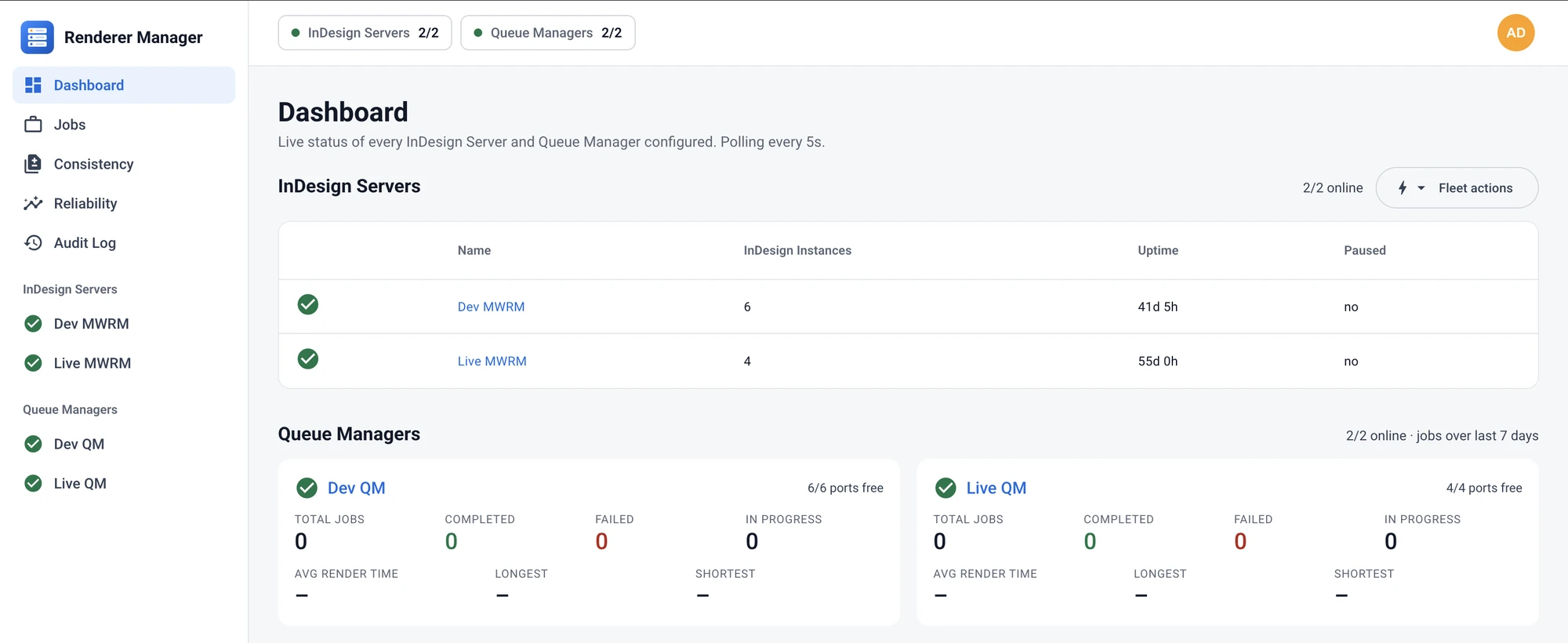
The problem it solves
Automated InDesign rendering is powerful but fragile at scale. A single InDesign Server process can hang, crash or quietly stop responding — and jobs back up, deadlines slip, and someone has to notice and fix it by hand.
Mediawide Renderer Manager takes that babysitting off your plate. Fleet reliability shows the uptime and restarts of every renderer, ready to share with stakeholders or clients.
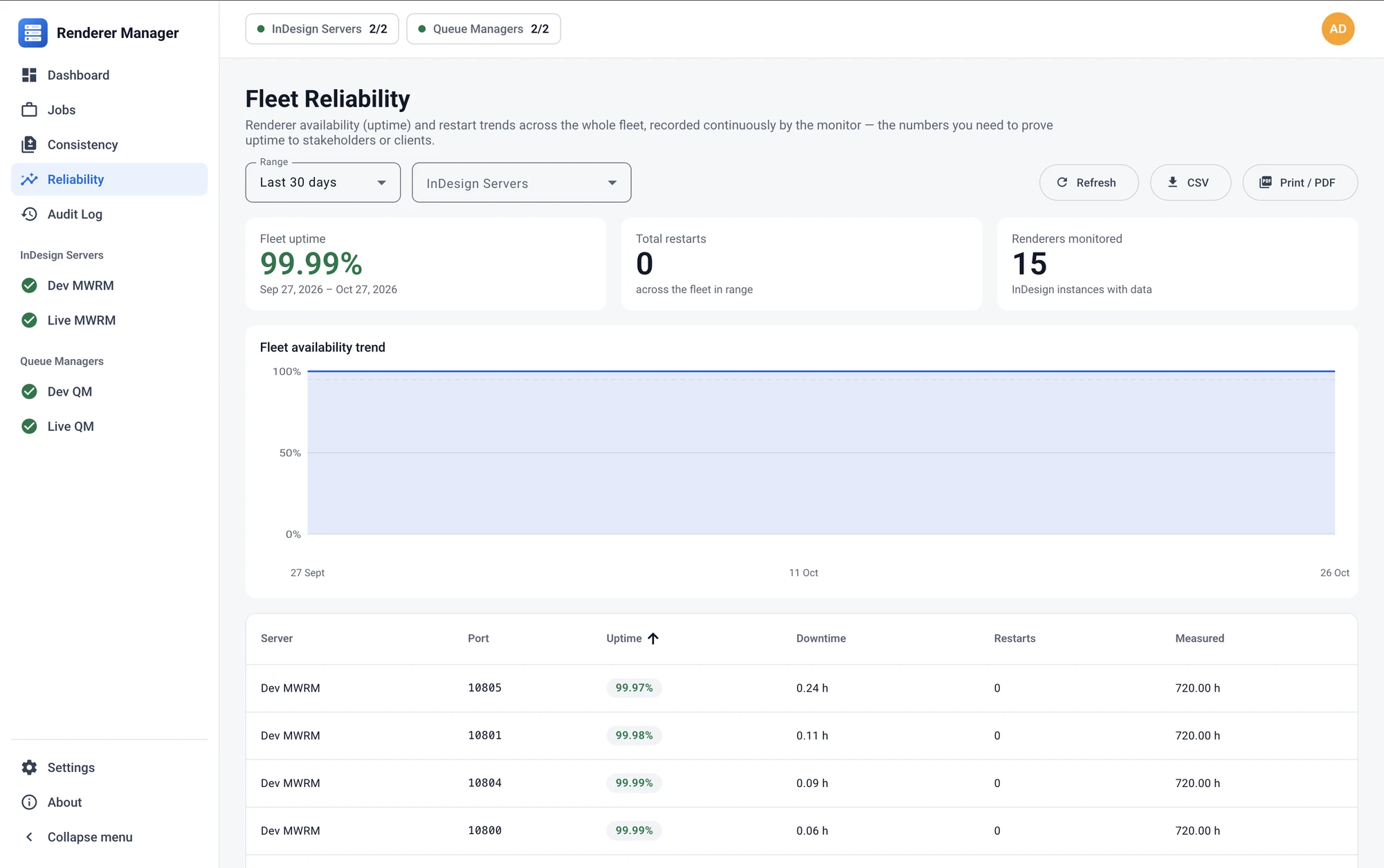
What it does
Watches every renderer, everywhere
A lightweight service checks each InDesign Server continuously and restarts it automatically when it crashes or hangs.
One dashboard for the whole fleet
Which renderers are up, how long they’ve run, how often they’ve restarted and what needs attention.
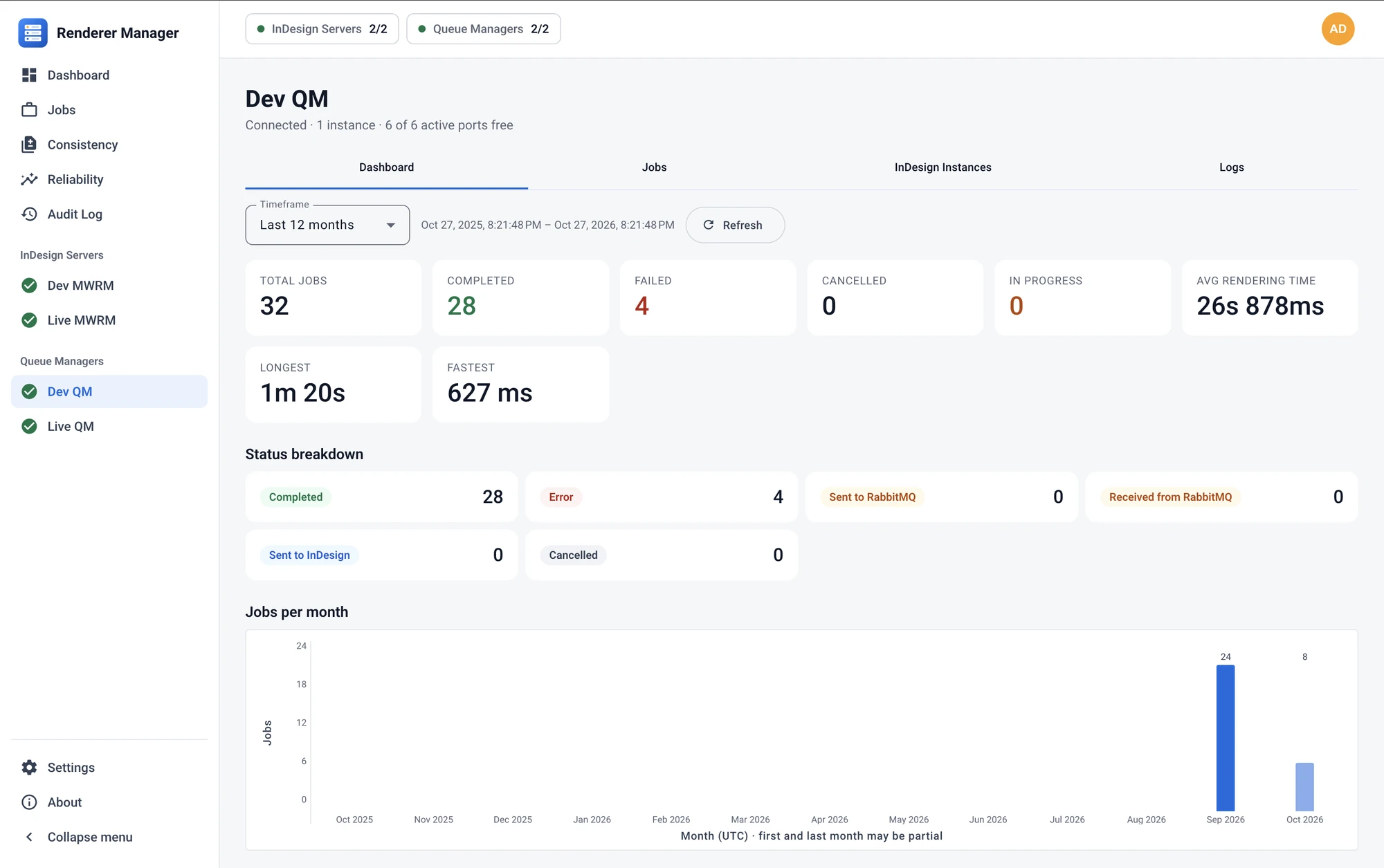
Connects rendering to the jobs
Throughput, completion rates and failure trends over time from the Mediawide production job queue.
Guardrails on who can do what
Role-based access for operators, power users and administrators in one interface.
Built to fit into your systems
Every capability in the dashboard — server health, renderer status, job history, controls — is backed by a secured, authenticated API, so your own tools get the same information and actions.
- Feed renderer and job health into your monitoring and alerting
- Trigger restarts, add capacity or pull status from your own automation
- Build custom reporting on live production data
Secure by design
- Every request is authenticated and signed, from the dashboard and through the API
- Credentials and connection secrets are encrypted at rest
- Role-based access keeps production-critical controls away from day-to-day operators
- Sessions expire automatically; accounts and roles are managed centrally
- Sign in through your OIDC or SAML identity provider (Okta, Microsoft Entra ID and others)
Deploys where you need it
The supervision service runs alongside InDesign Server on Windows. The web dashboard is a containerized application that runs on a single server or in a Kubernetes cluster — a handful of renderers in one office, or a fleet across several sites.
Built for publishing operations, print service providers and any team where “the renderers are down” costs real money.