
Use case · Adobe InDesign
Already working in Adobe InDesign? Take it further with the Mediawide Hub
Keep InDesign for the design work it does best. The Hub puts your InDesign templates in front of every team that needs them: locked where it matters, approved before export, and still yours to open in InDesign.
Where InDesign workflows get stuck
InDesign is the right place to design a layout. It is a slow place for every change that follows: each new price, market, branch address or size goes back to a designer, files travel by email, and it is hard to tell which version was approved. With InDesign Server the automation is powerful, but the templates often live in scripts and shared folders that only a developer can change.
Desktop or Server: where the Hub fits
If your designers use InDesign Desktop
Your designers keep building the master layouts in InDesign. The Hub takes over the repetitive part.
- Import a layout once; colleagues fill in only the fields you opened up.
- Approvals and comments in one place, instead of PDFs by email.
- Export the design back to InDesign whenever a designer needs to take over.
If you run InDesign Server
Mediawide has worked with InDesign Server for more than 25 years. We can help you modernize what you run today.
- Move templates out of scripts and folders into a browser that the business can use.
- Keep InDesign Server for catalogs, books, circulars and copy-fitting.
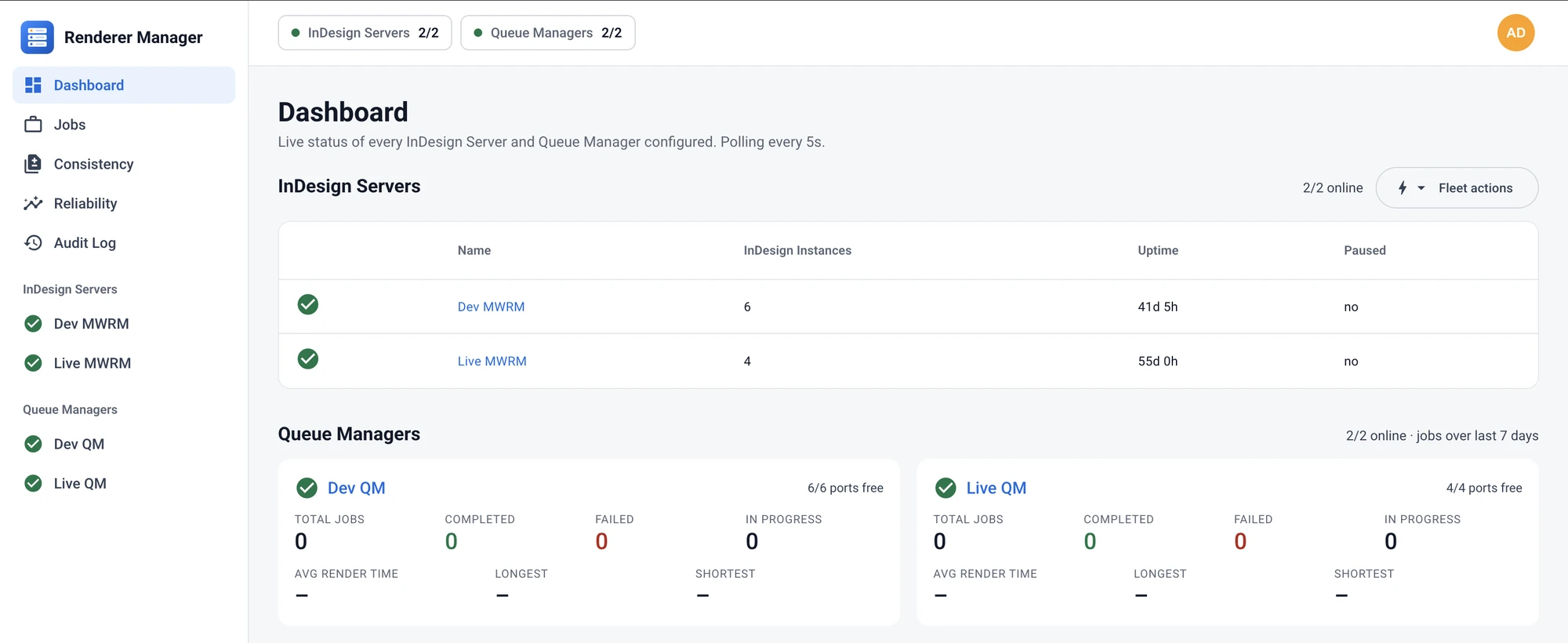
- Monitor every server and instance with Mediawide Renderer Manager.
How the Mediawide Hub helps InDesign teams
Import your InDesign files
Upload an IDML file or a packaged document (IDML, Links and Document Fonts, zipped). It becomes a Creative Studio print template that opens in the browser.
Open only the fields you choose
Frames you mark as editable become fields; everything else stays locked. Field tags bind to your tag lists, so prices and dates arrive formatted.
Your swatches and fonts respected
CMYK and spot swatches carry over into the design’s palette. Fonts are matched exactly; a missing font is reported, never silently replaced.
Pictures from any DAM
The Hub connects to any DAM, or use its own. For each picture in the package, keep it, upload it to your DAM or use an asset that is already there.
Approved before it ships
Comments pinned to the design and approval workflows that gate export, so only signed-off artwork leaves the Hub.
Back to InDesign at any time
Export any print design as an InDesign package: IDML, its links and a font list, with text, styles and swatches kept.
How it works
Prepare in InDesign
Mark the frames your teams may change, then package the document.
Import to the Hub
Upload the package and read the import report: fonts, links and anything that needs attention, before the template is created.
Produce and approve
Teams fill in the fields and send the design for approval; press-ready PDF is exported only when it is signed off.
Round trip when you need it
Export to InDesign for a designer to take over. Frames keep their IDs, so the design can come back into the Hub.
InDesign Server
Already running InDesign Server?
Many InDesign Server automations are a set of scripts, a shared folder and one person who understands them. We can help you move the templates people edit into the Hub, and keep InDesign Server where it earns its place.
- Mediawide Renderer Manager watches every InDesign Server and restarts hung or crashed instances.
- The Book Publishing Platform and Retail Circulars compose books and circulars on InDesign Server.
- Adobe InDesign Services: integration, custom plug-ins, hosting on AWS, Google Cloud or Azure, and support.
Good to know
- Text frames, picture frames, shapes, layers, swatches, paragraph styles and text columns are imported.
- Tables, notes, anchored frames and effects are kept in the InDesign file and listed in the import report; the Hub does not edit them.
- Each page becomes a design, and the pages of one document share a page size.
- InDesign import and export are switched on for your organization on request: ask us when you book a demo.