Today we’re bringing the Mediawide Creative Platform and the Mediawide Video Platform together as one product: the Mediawide Hub. It’s one platform where a marketing team designs a campaign once, outputs it in every size and format they need, and sends a personalized version to each customer, all under one set of brand rules.
This post explains what the Hub is, why we built it, and what it means if you already use one of our platforms.
Why we built it
Since 1999 we’ve built software that turns brand templates into finished artwork, first for publishers, then for brands, and more recently for digital and video. By 2022 that had become two platforms. The Creative Platform made display ads, social graphics and print. The Video Platform made personalized videos for banks, insurers, utilities and telecoms.
Our customers kept running into the gap between them:
- The same campaign was built twice. The banner team and the video team worked from the same brief in different tools, and the two versions drifted apart.
- Brand rules lived in people’s heads. Colours, fonts and approved wording were set template by template, so every new template was a new chance to get it wrong.
- Two log-ins, two sets of users, two approval routes. Nobody had a single view of what was waiting for sign-off.
- AI arrived without guardrails. Teams wanted AI to speed up production, but an AI that doesn’t know your brand creates more review work, not less.
- Personalized communication needs stronger security. A video built from a customer’s statement is personal data, and regulated industries rightly expect more than a simple link.
Patching two platforms wouldn’t fix that, so we rebuilt them as one.
What the Mediawide Hub is
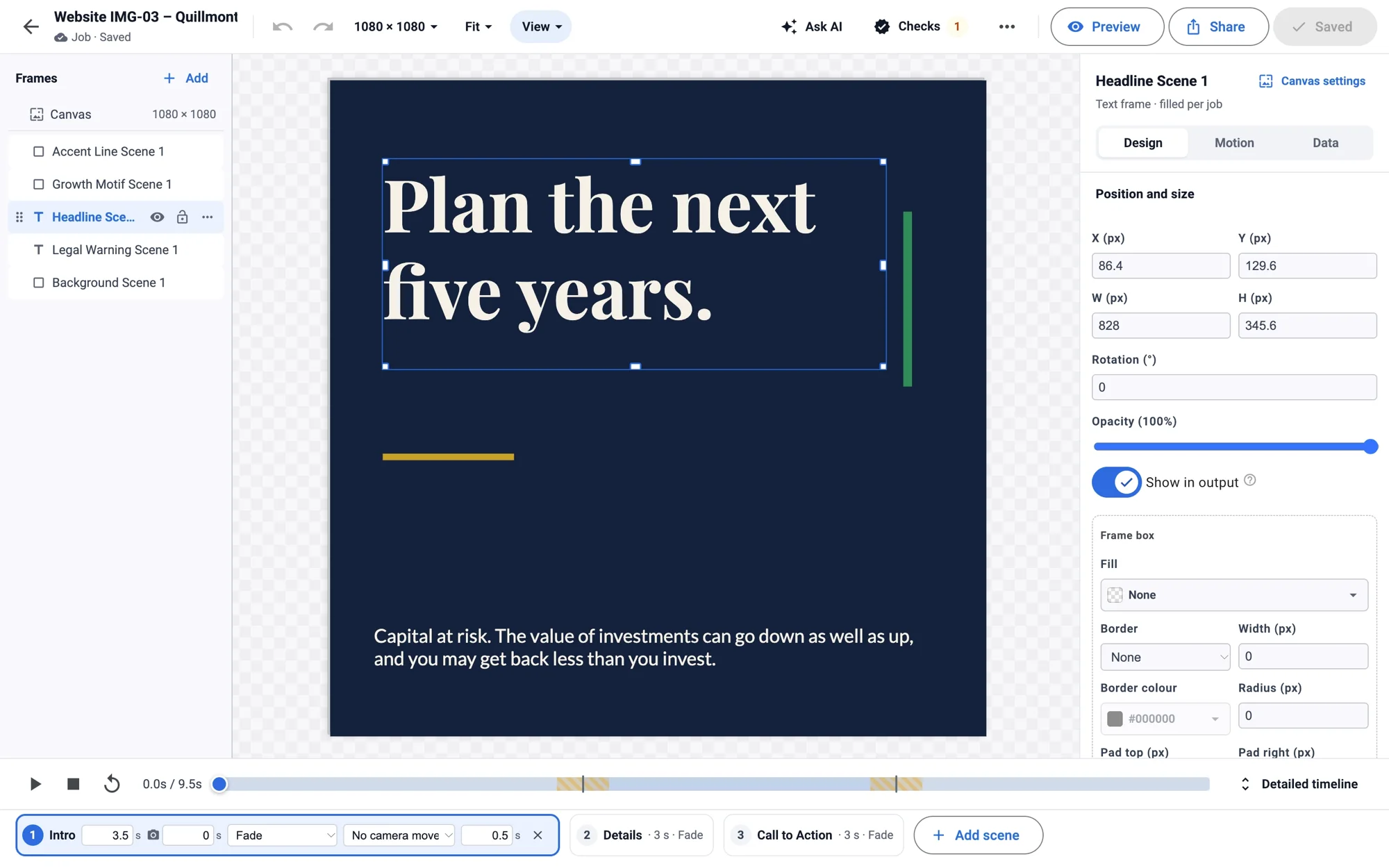
The Hub is built on one idea: one design, every format, every recipient. A design in the Hub isn’t a banner, a video or a PDF. It’s one source, and the format is a setting on the canvas. Add a size and the design reflows to fit. Change the headline and it changes in every size. The same design can become an animated HTML5 banner, a still for social, an MP4, a press-ready PDF or a personalized video.
Inside the Hub are two studios.
Creative Studio
Creative Studio is for campaigns. Designers build templates on the brand; producers and local teams fill them in, with locked areas they can’t break; reviewers approve. From there you can produce a batch from a spreadsheet or product feed, generate an AI video ad from a product page, translate into other languages and scripts, publish straight to your social accounts, push to your DAM or export for your ad server or printer.
Personalized Studio
Personalized Studio is for one-to-one communication. You connect your data (CSV, Excel, JSON, XML or API), design the video once in the same editor, and each customer receives a private link to their own video. It shows their own figures in charts, includes scenes only when they apply to that customer, and can include a calculator, a choice or a form they can use there and then. A statement can explain where the money went. A renewal can show this year’s cover next to last year’s. A bill can show usage against last winter.
Each link is signed and expires. No customer data travels in the address, and every time someone on your side looks at a named customer’s data, the Hub asks for a reason and records it. Videos have captions, a transcript and keyboard controls, and they play on any phone.
What sits underneath both
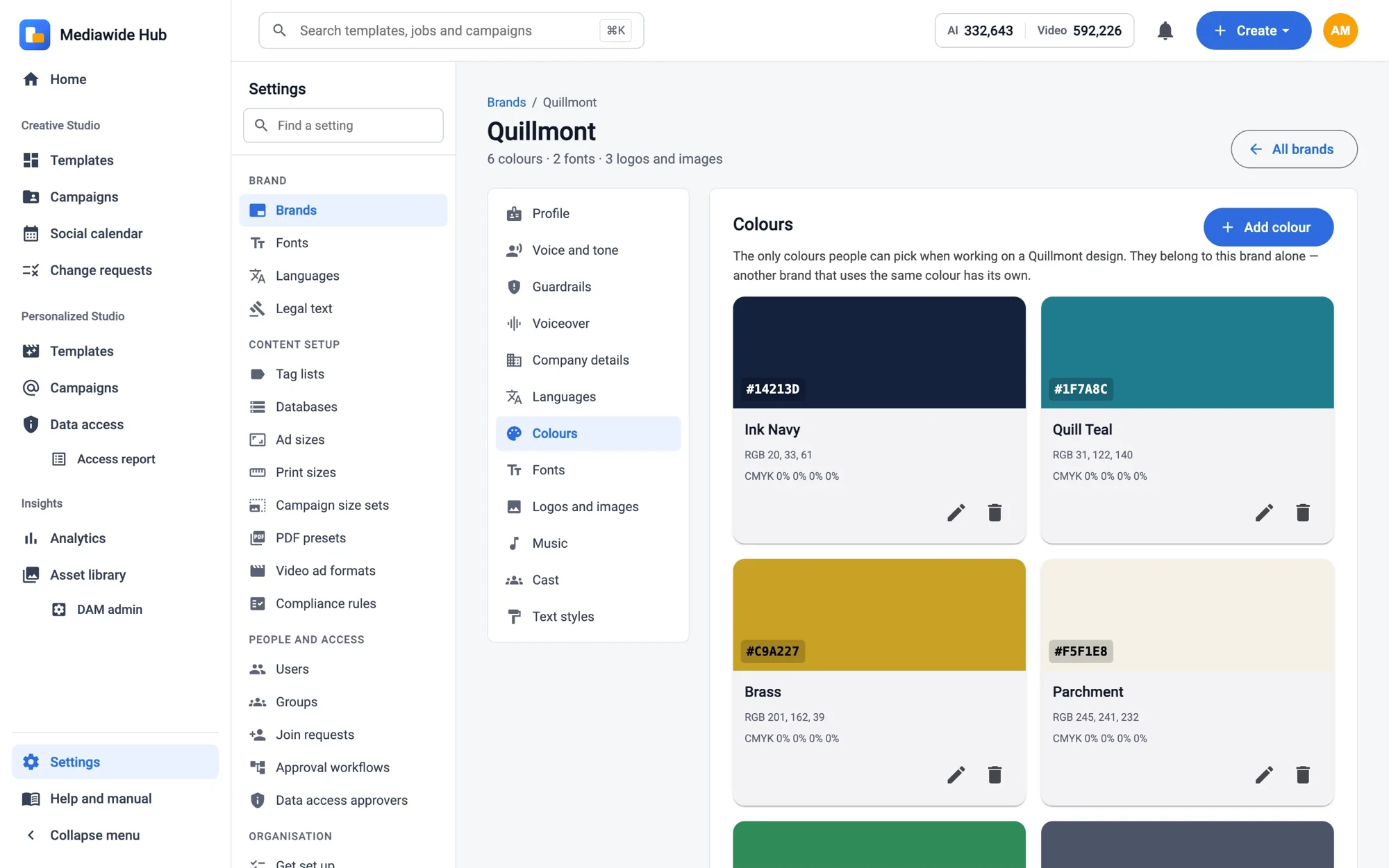
- Brand Center: logos, colours, fonts, text styles, brand voice, music and guardrails, used by every editor and checked before anything is exported.
- AI that follows the brand: generate a design from a brief, write scripts and hooks, create images and video clips, add narration or a video presenter, and ask the assistant to change the design you already have rather than starting again.
- Approvals and the Creative Lifecycle: sign-off, change requests, proof rounds and multi-level review, with one list of what is waiting for you.
- Your asset library, opened inside the Hub.
- Adobe InDesign: import an InDesign document as a template, export an InDesign package, and check templates out to InDesign and back in. Underneath it all is the Adobe InDesign Server expertise we’ve built up over 25 years.
- Integrations: single sign-on, data feeds, an API, and an MCP server so AI assistants such as Claude can build and edit in the Hub on your behalf, within your permissions.
Who it’s for
Marketing and communications teams that produce a lot of creative and need it to stay on brand: brands and retailers running campaigns across many markets, agencies producing for several clients, and banks, insurers, utilities and telecoms that want customers to understand their statements, bills and renewals.
Simpler to buy
There’s one plan, and it includes everything: every format, AI, approvals, the lifecycle, translation and Personalized Studio. You choose how many Designers and Producers you need; reviewers are free. Personalized videos and extra AI credits come in packs. You can try the Hub free for 7 days, with no card. Prices are on our pricing page, and enterprise contracts are available for single sign-on, service levels and larger volumes.
If you already use Mediawide
Nothing stops working today. Creative Platform templates and jobs move into Creative Studio, and Video Platform videos can be brought across as draft Personalized Studio templates. Your account manager will agree the timing with you, and existing contracts continue until renewal. Our What’s new page compares the old platforms with the Hub, feature by feature.
See it for yourself
The best way to understand the Hub is to see it working with your own brand. Book a 30-minute demo and bring a brief and a sample of your data, or start a free trial and build your first design today.
Glenn Bailey, Chief Technical Officer, Mediawide

Leave a Reply